Please review the answers to some of our most Frequently Asked Questions. If you still haven't found your answer (or question), or need to send us a trouble ticket please visit our support pages at Support Home. Help is also available via email at support @ orangemailer.co, our live chat, or from the "Help" icon after logging in.
Unlike our competitors, Orange Mailer offers free help at every subscription level.
Account / Subscriptions
GDPR - What We Do
The General Data Protection Regulation (GDPR) is a European privacy law that gives individuals more control over their personal data.
Even though Orange Mailer is based in the United States, we respect the rights of users in the European Union. If you are an EU resident and want us to remove your personal information, we will do the following:
- Upon your request, we will delete or anonymize all personally identifiable information we have stored about you (such as your name, address, email, etc.).
- We will replace any identifying information with a generic note, such as **“Removed by request”**.
We are still in the process of developing a full formal privacy policy. As we continue to improve our systems and work with legal guidance, we will update this page with more detailed information.
If you would like us to remove your data, please contact us through the support ticket system and let us know.
---
### **How to Start, Change, or Cancel a Subscription**
Once you have created an account, go to the **Subscription details** page.
Scroll down to the **Manage Subscription** section.
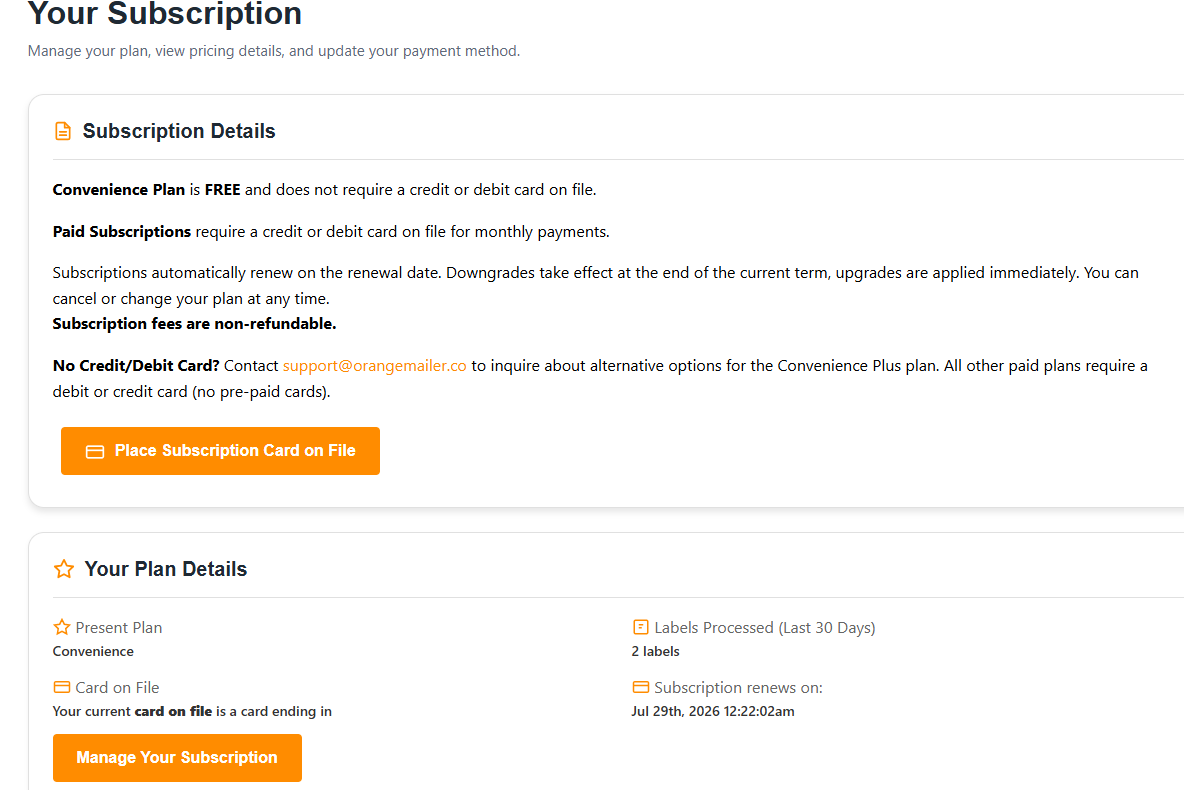
1. Add a Payment Method
- Click the orange button **“Place subscription card on file.”**
- Enter your credit card information.
- This card will be used to automatically charge your subscription every month until you cancel.
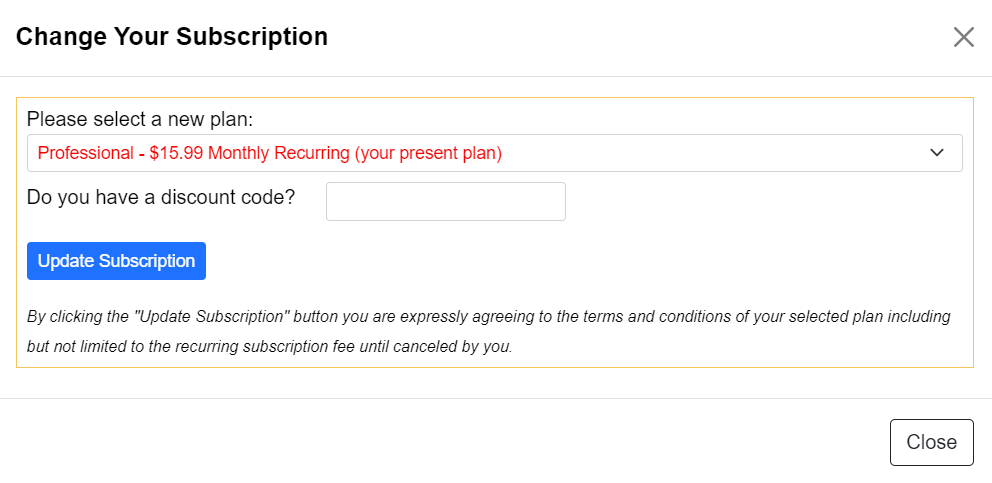
2. Start or Change Your Subscription
- After adding your card, click the orange button **“Manage your subscription.”**
- A popup window will appear.
- Select the plan you want.
- Click the button **“Update Subscription.”**
3. Cancel Your Paid Subscription (Keep Free Account)
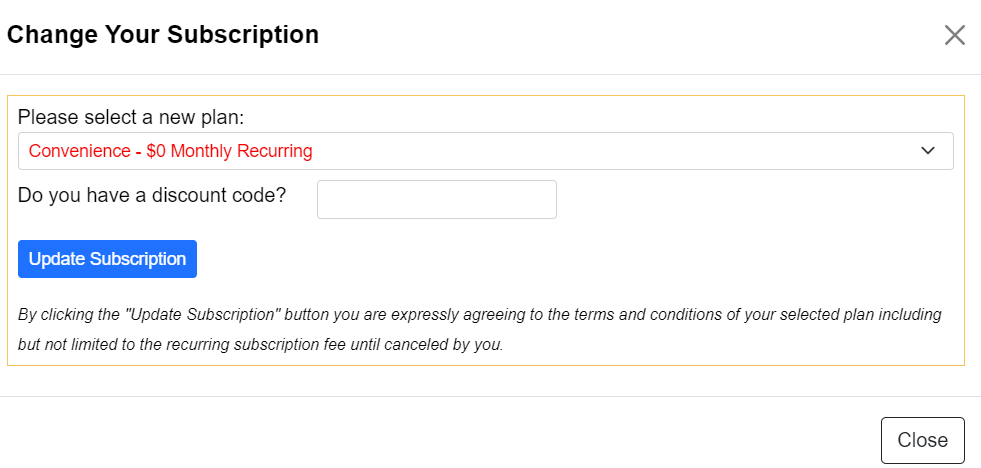
If you want to cancel your paid plan but keep using Orange Mailer on the free level:
- Go back to the **Manage Subscription** section.
- Click the orange button **“Manage your subscription.”**
- In the popup, select the **Free** plan.
- Click “Update Subscription.”
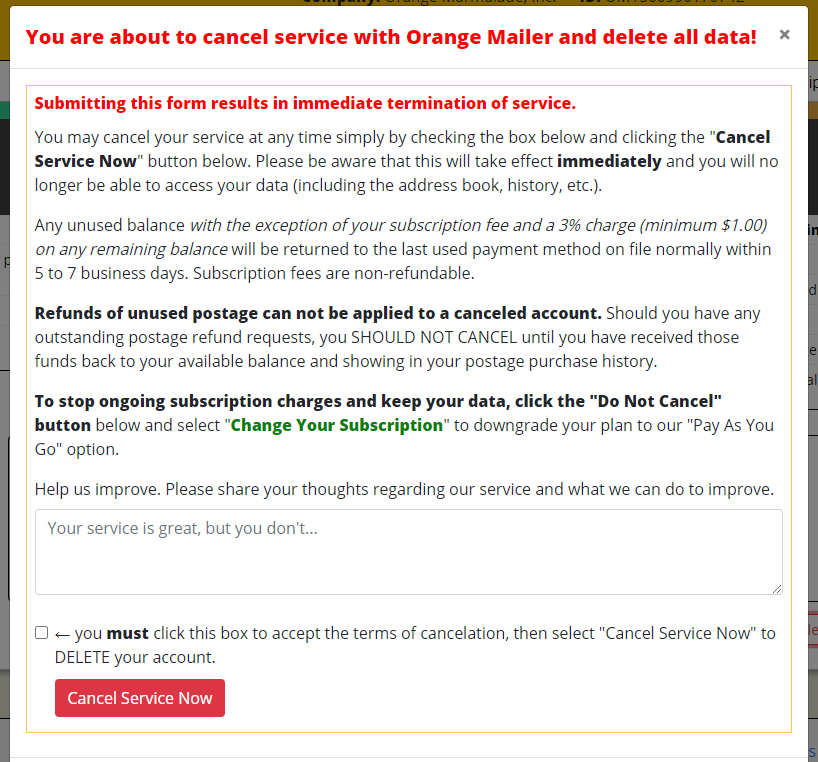
It is easy to cancel your account, just go to the YOUR SUBSCRIPTION page, ( under Admin tab ) scroll down and look for the "cancel service & delete data" button,
( cancellation of account will automatically submit the remaining unused balance for refund to your card )
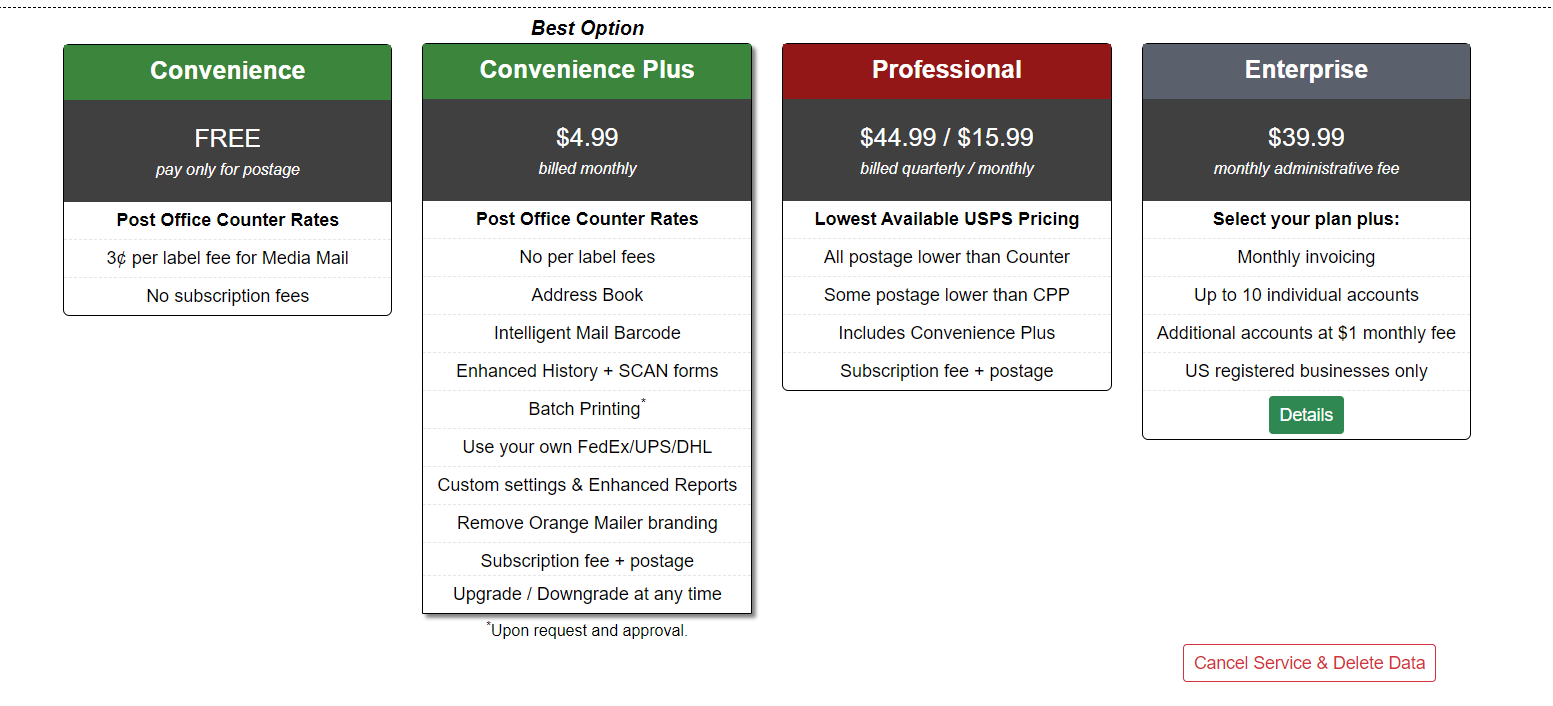
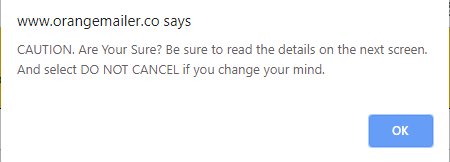
When you click the "cancel service" button you will first see a pop up window asking you to confirm before continuing, just click ok and the cancel account screen will show,
Click the little check box to confirm and then click the red "Cancel Service Now" button. Once you cancel all data will be deleted and your unused balance will be submitted for a refund.
At this time there are no discounts available.
.